





 USD
USD EUR
EUR GBP
GBP CAD
CAD AUD
AUD HKD
HKD JPY
JPY KRW
KRW SGD
SGD NZD
NZD THB
THB TWD
TWD English
 繁體中文
繁體中文 日本語
日本語 한국어
한국어 ไทย
ไทย Bahasa Indonesia
 Français
 Español
 Deutsch
 Português
 Nederlands
 Tiếng Việt
By EVPADPro | 09 August 2024 | 0 Comments
How to Stream Videos On My phone Or Tablet By Using The UnblockUBox11 TV Box?
The UnblockUBox11 TV box is the only TV box that allows you to stream videos on your phone and tablet in the whole industry. And below are how to do it.
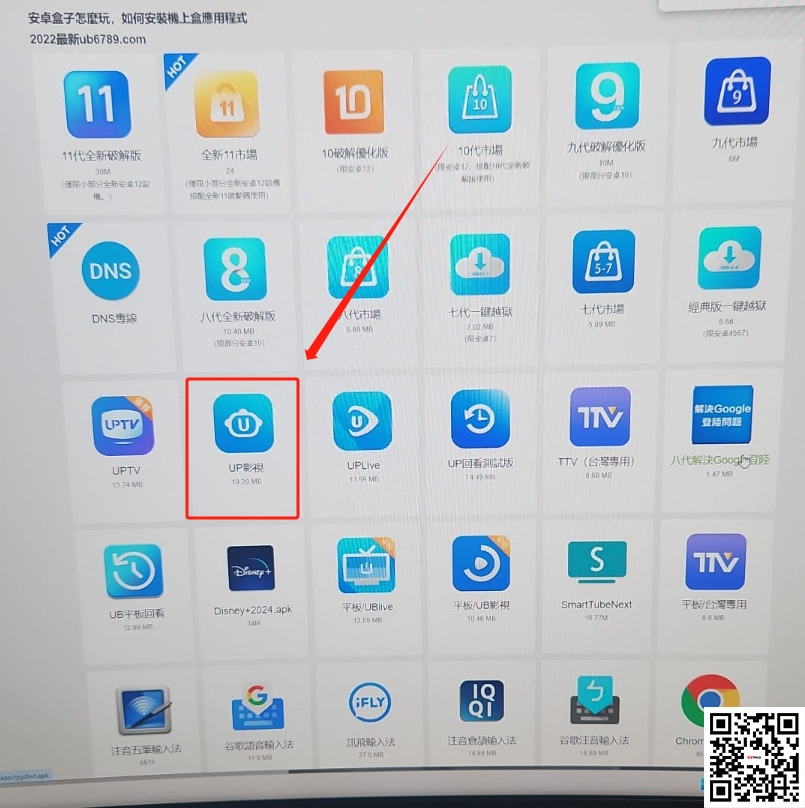
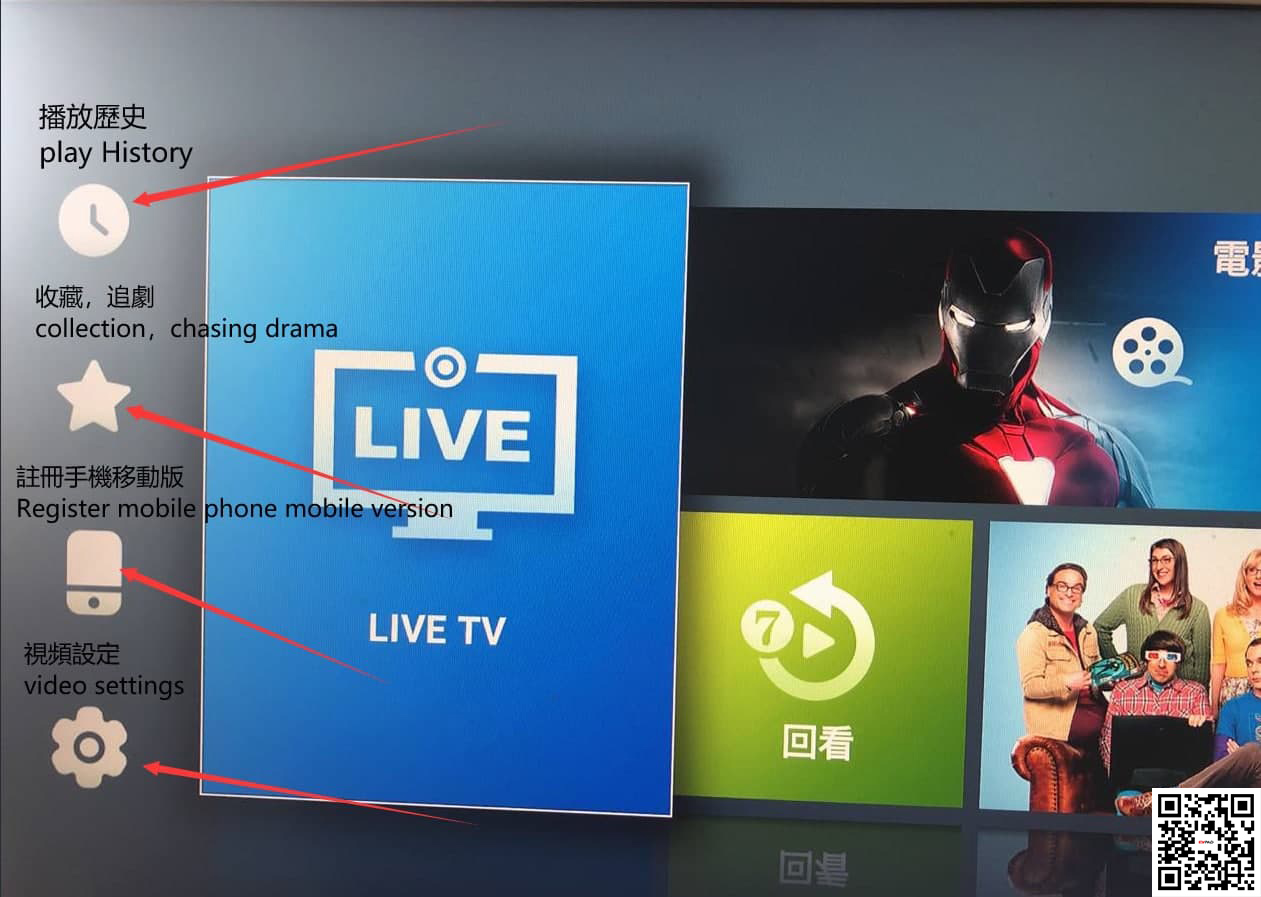
First, please find the App UP Video(UP影視), and on the left, you'll see a phone icon, click it, and it gives you instructions on how to set it up on your phone. You need to register an account first if you don't have one.
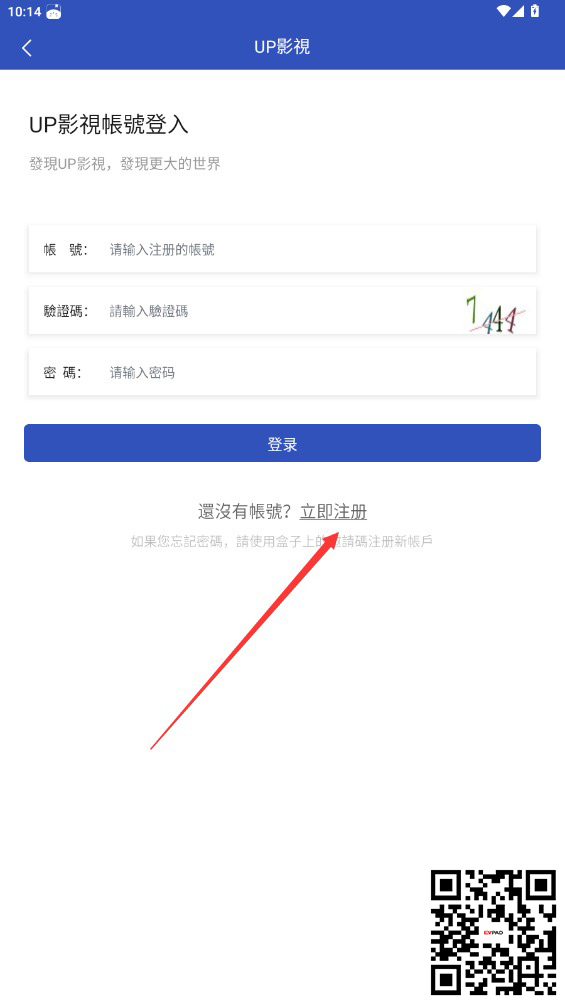
To register an account, the user name should combine 6 small characters plus numbers. It does not support capital characters, please kindly note. You can set your password. Then you can go back to UP Video log in to your account and start enjoying watching TV on your phone or tablet!
First, please find the App UP Video(UP影視), and on the left, you'll see a phone icon, click it, and it gives you instructions on how to set it up on your phone. You need to register an account first if you don't have one.
To register an account, the user name should combine 6 small characters plus numbers. It does not support capital characters, please kindly note. You can set your password. Then you can go back to UP Video log in to your account and start enjoying watching TV on your phone or tablet!



